

What Size Bag Fits a Laptop? 13, 14, 15.6 & 16-Inch Guide
Written by Anam Fatima10 min read
Best bag that fits your Laptop for Office, University, or College
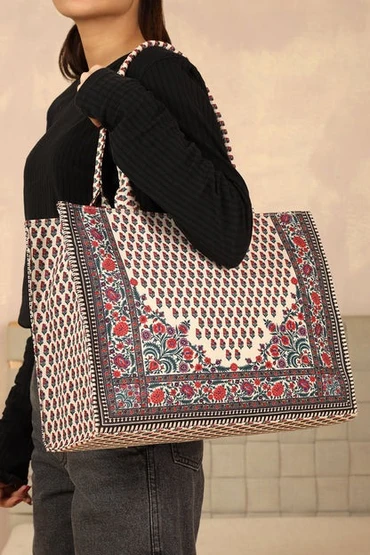
Wondering what size bag fits a laptop without ending up with a sleeve that feels too tight or a bag that's much bigger than you actually need? It's a common question, especially when laptop bags are advertised using screen sizes such as 13, 14, 15.6, or 16 inches. The tricky part is that your laptop's screen size isn't the same as its overall size. A 15.6-inch laptop, for example, isn't 15.6 inches wide. The screen measurement is taken diagonally across the display, while your bag needs to accommodate the entire closed laptop. That's why choosing the right laptop bag is really about one thing: matching your laptop's physical dimensions with the bag's internal compartment. Once you know what to measure, choosing a bag becomes much easier. Whether you're a student heading to university, an office professional commuting every day, or someone who works remotely from different locations, this simple guide will help you find a comfortable fit.
Screen Size vs Device Size
The first thing to understand is that screen size and laptop size are different measurements. When a laptop is described as 13, 14, 15.6, or 16 inches, that number generally refers to the diagonal size of the display, not the complete outside dimensions of the laptop. That distinction matters when you're shopping for a bag. Your laptop has a casing, hinges, bezels, keyboard deck, and other components that add to its overall footprint. Two laptops with the same screen size can therefore have slightly different widths, depths, and thicknesses. Think of the screen size as a useful starting point rather than an exact measurement. A 14-inch laptop may be slim and compact, while a thicker 15.6-inch model can take up considerably more room.
Why screen size isn't the same as laptop bag size
Modern laptops have also changed the sizing game. Slimmer bezels mean manufacturers can sometimes fit a larger display into a chassis that isn't dramatically bigger than an older model. For example, approximate dimensions put a 13.3-inch laptop at around 31 × 21.5 cm, a 14-inch model at around 32.5 × 22.5 cm, a 15.6-inch model at around 35.9 × 24 cm, and a 16-inch model at around 35.5 × 25 cm. These figures are only general references, so your exact laptop should always take priority. This is why a good laptop bag size guide should help you understand measurements rather than simply tell you to buy a bag labelled with the same screen size as your laptop.
How to measure your laptop
Close your laptop and measure three things: Width: from the left edge to the right edge Depth: from the front edge to the back edge Thickness: the height of the closed laptop You can use a ruler or measuring tape. If you want to confirm the advertised screen size, measure the visible display diagonally from corner to corner, excluding the bezel. For bag shopping, however, the three physical measurements are the important ones. Compare them with the internal laptop compartment, not just the bag's overall dimensions.
What Size Bag Fits a Laptop? Measurement Table
So, what size bag fits a laptop at the most common screen sizes? The table below gives you a practical starting point.
Laptop screen
Approx. laptop body Recommended starting compartment 13–13.3 inch About 31 × 21.5 cm 13–14 inch 14 inch About 32.5 × 22.5 cm 14 inch 15.6 inch About 35.9 × 24 cm 15.6 inch 16 inch About 35.5 × 25 cm 16 inch
These are approximate dimensions rather than universal rules. Different manufacturers use different chassis designs, so check your specific laptop before placing an order.
13-inch and 14-inch laptops
A 13-inch laptop is generally easy to carry and can fit comfortably into a compact bag, slim backpack, or smaller tote, provided the dedicated laptop sleeve is large enough. Fourteen-inch laptops are also a popular everyday option because they offer a useful balance between screen space and portability. For students and commuters, a 14-inch compartment can leave enough room for a charger, notebook, and other essentials without making the entire bag feel oversized. If you're choosing a university laptop tote, check that the laptop section is padded and properly sized. A roomy main compartment doesn't automatically mean the laptop sleeve will be roomy too.
15.6-inch and 16-inch laptops
The 15.6-inch category is still common, particularly among mainstream Windows laptops. If you're specifically searching for a tote bag for a 15.6-inch laptop, don't judge the fit by the tote's overall size. Instead, check the dimensions of its dedicated laptop compartment. A large tote can have plenty of space for books and accessories while having a surprisingly narrow laptop sleeve. Sixteen-inch laptops need a little more attention because modern models can have footprints that are quite close to some 15.6-inch laptops. The screen number alone doesn't tell you exactly how much space your bag needs. Add Padding Allowance It might seem logical to buy a laptop compartment that is the same size as your laptop. In practice, that's usually not the most comfortable option. You need enough room to slide the laptop in and out without forcing it against the sides. At the same time, you don't want a compartment so large that the laptop moves around inside the bag. Think about putting a book into an envelope. If the envelope is the same size as the book, getting it in and out becomes frustrating. A good laptop sleeve should feel snug, padded, and easy to use. Check internal dimensions When shopping online, look for phrases such as internal dimensions, laptop compartment dimensions, or device compartment size. These measurements tell you much more than the bag's external dimensions. A bag could be 45 cm wide on the outside but have a laptop sleeve that's only 34 cm wide. This is especially important when choosing a tote bag for a 15.6-inch laptop because the tote itself may be designed to carry plenty of everyday items while the laptop compartment is more compact. Don't forget laptop thickness. Width and depth are easy to remember, but thickness matters too. A slim ultrabook and a thicker gaming laptop can have the same screen size while requiring different amounts of space. Check the sleeve depth if your laptop is particularly thick. It's also sensible to keep your charger in a separate section when possible, especially if the power adapter is bulky. The goal isn't simply to make the laptop fit. You want it to sit comfortably without pressure on its corners or lid.
Vertical vs Horizontal Fit
The direction in which your laptop sits inside the bag can affect both comfort and accessibility. Some bags hold laptops vertically, while others place them horizontally. Neither option is automatically better; it depends on your daily routine and what else you carry.
Vertical laptop compartments
Vertical laptop sleeves are common in backpacks and work totes. They can make good use of the bag's height while leaving space alongside the laptop for notebooks, folders, and accessories. This layout can work particularly well for students because one bag can hold a laptop alongside everyday university supplies. Just check the opening. A compartment might be deep enough for your laptop but still have a narrow opening that makes a wider 15.6-inch device awkward to insert.
Horizontal laptop compartments
Horizontal compartments are common in messenger bags, briefcases and structured laptop totes. They can make a wider laptop easier to slide in and remove. If you regularly move between classrooms, meetings, offices or cafés, think about accessibility as well as size. A bag that fits perfectly but is frustrating to open every time isn't really the right bag for you. A useful laptop bag size guide should therefore consider both the physical fit and how you'll actually use the bag.
Check the Closure
Once you've confirmed that your laptop fits inside the compartment, check how the bag closes. A zipper should close smoothly without pressing hard against the laptop. A magnetic or snap closure should hold the bag securely without pulling awkwardly on the material. Open-top totes can be convenient for quick access, but the laptop should still sit inside a properly secured sleeve.
Zippers, Magnetic Closures and Open Totes
For everyday commuting, a zipper provides a straightforward way to keep your laptop inside if the bag tips over. Magnetic and snap closures can be convenient when you're frequently taking your laptop out. If you're buying a university laptop tote, consider how often you'll access the laptop during the day. A student moving between lectures may appreciate quick access, while someone commuting on public transport may prefer a fully enclosed design.
Everyday Commuter Considerations
Your laptop bag may experience more movement than you expect. Walking across campus, getting into a car, riding public transport or travelling between offices can all put extra strain on the bag. A secure closure, protective padding and a correctly sized compartment work together to keep your laptop where it belongs.
Quick Laptop Bag Size Checklist
Before buying, take a few minutes to check: Measure your laptop's width, depth, and thickness. Compare those measurements with the bag's internal laptop compartment. Leave a little room for comfortable insertion. Check the size of the compartment opening. Make sure the sleeve can accommodate the laptop's thickness. Check whether the laptop sits vertically or horizontally. Test whether the closure can comfortably close around the laptop. Consider space for your charger, notebook, and other essentials. If you're buying a tote bag for a 15.6-inch laptop, check the dedicated sleeve rather than the tote's overall size. When possible, compare the exact laptop model dimensions with the bag manufacturer's measurements. The biggest mistake is choosing a bag based entirely on the screen-size label. The screen is measured diagonally, while your bag needs to hold the laptop's complete physical footprint.
Conclusion
So, what size bag fits a laptop? Start with the screen size, but don't stop there. The most reliable approach is to measure your laptop's actual width, depth, and thickness, then compare those figures with the bag's internal laptop compartment. A 13-inch laptop will usually work well with a compact sleeve, while 14-inch models suit medium-sized compartments. For 15.6-inch and 16-inch laptops, pay closer attention to the exact internal measurements, particularly if you're considering a larger tote. The simple rule is easy to remember: measure first, compare internal dimensions second, and allow enough room for comfortable use and protection.
FAQs
1. What size bag fits a laptop if I have a 14-inch model?
A bag with a 14-inch laptop compartment is a sensible starting point. However, check the actual internal width and depth because laptops with the same screen size can have different physical dimensions
2. Will a 15.6-inch laptop fit in a 16-inch laptop bag?
It often can, but don't rely on the labels alone. Compare your laptop's actual dimensions with the bag's internal compartment before buying.
3. What should I look for in a tote bag for a 15.6-inch laptop?
Look for a padded laptop compartment with enough width, depth, and thickness. Also check the opening and closure because the tote's overall dimensions can be much larger than its laptop sleeve.
4. Is a university laptop tote suitable for everyday commuting?
Yes, provided it has a properly sized padded laptop compartment and enough room for your other essentials. Comfortable handles or straps and a secure closure are also useful for daily travel.
5. How does a laptop bag size guide help me choose?
A laptop bag size guide gives you a useful starting point based on common laptop categories. The most reliable final check, however, is comparing your individual laptop's measurements with the bag's internal compartment.
Ready to find yours?
Free delivery over Rs 5,000, cash on delivery, and Rs 200 off when you pay online.
Shop the collection